

See where your usage goes
See in rlx what every Claude Code session on this machine spent, by day, repository, account and model; how much room your accounts have left; your usage inside Claude Code's own status line; and the opt-in, off-by-default anonymous sharing.
rlx answers two questions about your Claude usage without leaving rlx
or Claude Code: how much room is left right now, across every account, and
where your tokens went, by day, repository, account and model. Every figure
is read and kept on this machine. Nothing is sent anywhere unless you turn
sharing on.
Where your tokens went: Usage & stats
Open Usage & stats
Open ⚙ Settings ▸ Usage & stats. The page reads what is recorded at once, and reads Claude Code's transcripts for any session not counted yet in the background, saying how far it has got. The first time, that can take half a minute; the page catches up by itself when it ends.
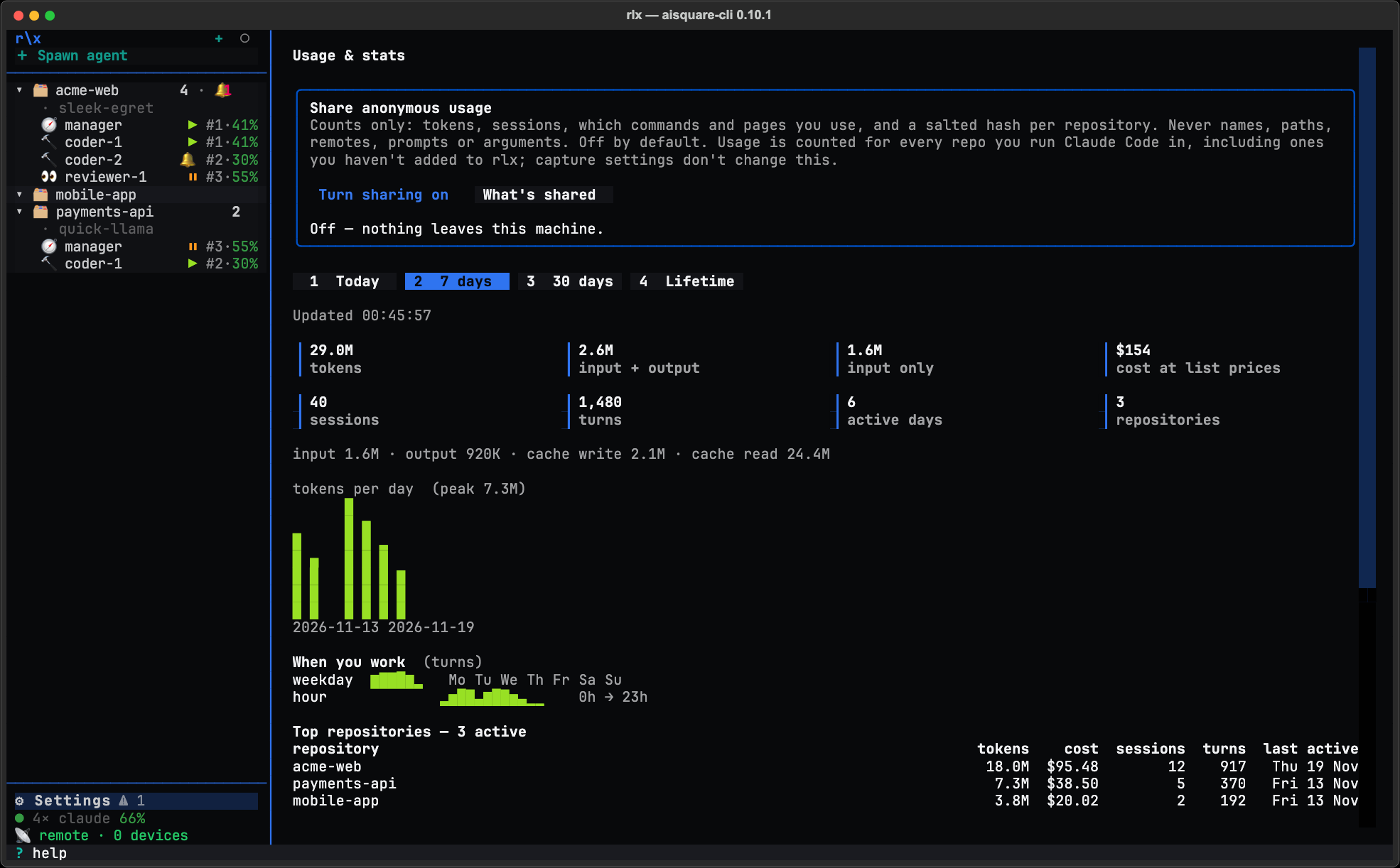
Pick a range
1 Today, 2 7 days (the default), 3 30 days or 4 Lifetime:
click one or press its number. r reads again. A range with nothing in it
says so, and says which ranges do have something.
Read the page
From top to bottom:
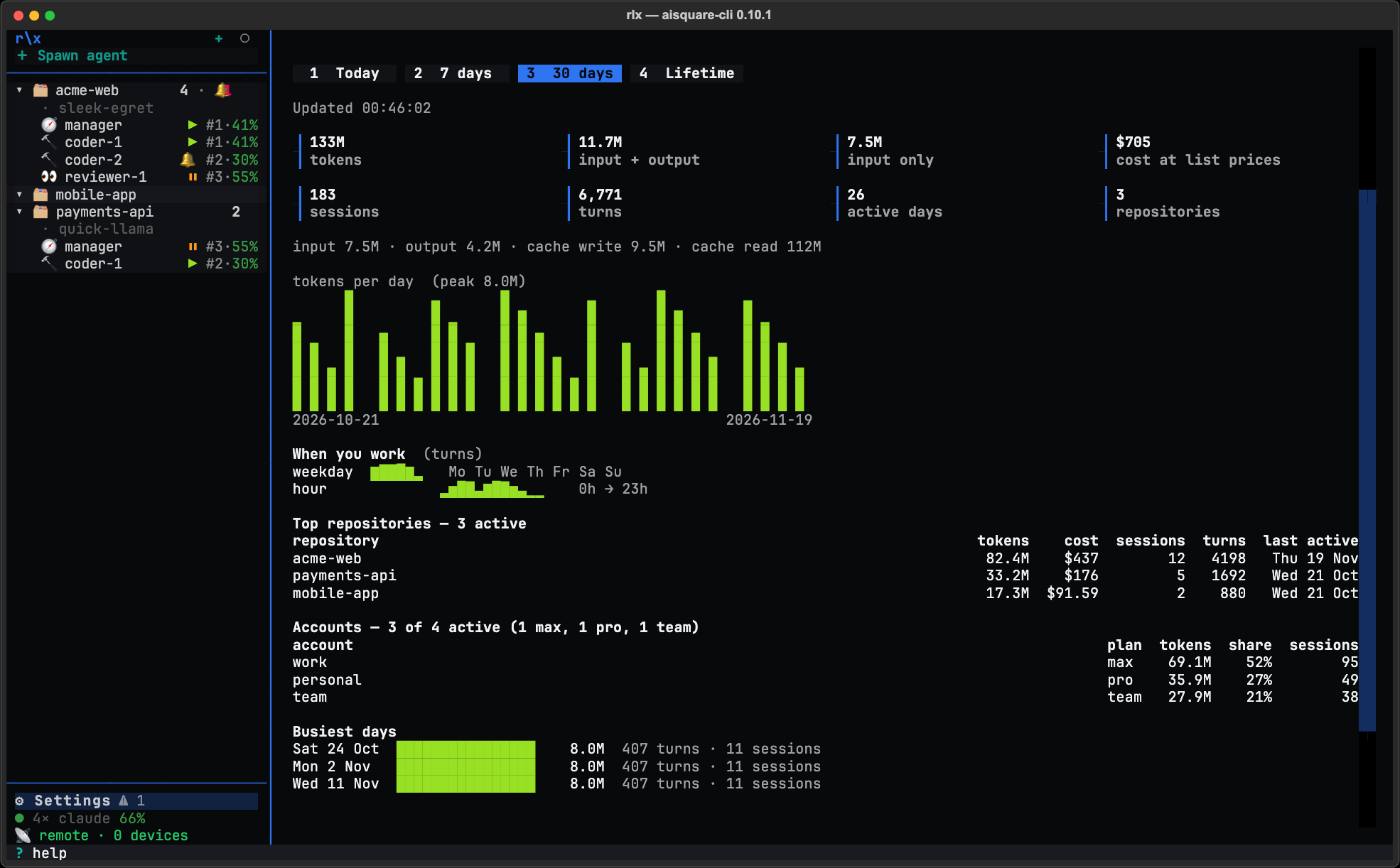
- Tiles: tokens, input + output, input only, cost at list prices, sessions, turns, active days and repositories, with a line splitting the tokens into input, output, cache writes and cache reads.
- A bar per day (per hour for Today).
- When you work: your weekdays and hours.
- Top repositories: the ten with the most tokens.
- Accounts: each Claude account and its plan, the busiest starred.
- Busiest days, the model mix, and the features you use most (rlx's commands and pages, by name).
Every session counts, whether or not rlx launched it. The page reads
every Claude Code transcript on the machine, under ~/.claude and every
account you added: fleet agents, rlx launch, and sessions you started
by hand. That includes repositories you never added to rlx, whatever
projects.capture says. A session counted once is never counted again.
A repository is its git remote, or its folder when it has none, so two
clones of one project count once. A project you remove with
rlx project forget --purge stays out of the figures from then on.
The transcripts are read when the page opens, every ten minutes while rlx
runs, and whenever you run rlx metrics backfill. Claude Code deletes
transcripts after 30 days by default, so the first read keeps the history that
is still there, and later reads keep what would otherwise go.
From a shell
rlx metrics stats                     # the same figures as the page, for the last 7 days
rlx metrics stats --range lifetime    # today, 7d, 30d or lifetime
rlx metrics stats --no-sweep          # only what is recorded; do not read transcripts first
rlx metrics backfill                  # read every transcript on the machine now
rlx metrics tokens --all              # per session: raw, cost-weighted and list-price tokens
rlx metrics ledger --since 2h         # per fleet agent: requests, cache, context, wakes, tool calls
Each takes the global --json (rlx --json metrics stats). metrics tokens and metrics ledger report on the project you are in unless you pass
--project or --all; ledger also takes --role.
How much room is left
You do not need to open a page to know whether the fleet is about to stall.
-
The sidebar. Under ⚙ Settings, the status line reads
● 3× claude 58%: three usable accounts, 58 % of their room left on average, each account counted by the fuller of its five-hour and weekly windows. The dot is green over 50 %, yellow from 25 %, orange-red from 5 %, red below (or when every enabled account needs a login), and 💀 when none is left. It is grey while usage cannot be read: offline, or a locked macOS Keychain. Click it to open Accounts; see The status line for the whole legend. -
The Accounts page has one line for the whole fleet above its table:
Fleet: 58% left now · week: 1.8 of 3 accounts left · next weekly reset in 2d 4h (Thu 14:00) (account 3) -
rlx accounts usageprints each account's windows, anallrow and the same line.rlx --json accounts usage --summarygives the figures to a script.
Accounts and usage
explains each column, and what ! on a row means.
Usage inside Claude Code
Opt-in. rlx can put your usage in Claude Code's own status line, in every session, including ones you start by hand:
acct 3 · 5h 42% · wk 61% · fleet 58% left (3×) · ctx 34%That is the session's account, its five-hour and weekly use, the fleet's share left, and how much of the session's context is used.
rlx accounts statusline                    # what each account has now; changes nothing
rlx accounts statusline --install          # set it on every account that has no status line
rlx accounts statusline --install --wrap   # keep your own status line and print it first
rlx accounts statusline --install --slot 2 # one account only
rlx accounts statusline --uninstall        # take out only rlx's, and give your own back
A status line you set yourself is never replaced: without --wrap, that
account is left as it is. The fleet's share shows only while rlx (or
rlx accounts usage) has read the fleet in the last five minutes.
rlx uninstall removes it too.
It keeps a short record of each session. While it is installed, every
session it runs in writes one small file,
~/.aisquare/cache/statusline/<session id>.json: the session id, its folder,
its model and the figures above. Never a prompt. A record older than a day is
deleted the next time it is read. The records list every session on the
machine:
rlx accounts sessions                 # sessions that reported in the last 15 minutes
rlx accounts sessions --since 1d
The Accounts page shows the same list as Sessions on this machine, and the usage cache takes their readings, so the usage endpoint is asked less often.
capture.enabled = false does not stop these records
capture.enabled = false stops prompt capture only. The status line reads no
setting, so it writes a record for every session it runs in for as long as it
is installed. To stop the records, run
rlx accounts statusline --uninstall.
On Windows, --install --wrap leaves a status line that contains a double
quote unwrapped, and says so.
Share anonymous counts, only if you choose to
Off by default. Nothing leaves this machine until you turn it on. When you do, rlx sends AISquare daily counts of how it is used, so the people who build it know what to improve.
Turn it on or off in any of three places:
- the one-time question
rlxasks after you have set up a project: Share anonymous usage, No thanks (the default) or See what would be sent; - the box at the top of ⚙ Settings ▸ Usage & stats: Turn sharing on or Turn sharing off, and What's shared, which shows the body the next shipment would send (while sharing is off, a labelled sample with placeholder ids);
- from a shell:
rlx metrics share status    # on or off, what forces it off, when it last sent
rlx metrics share preview   # the body the next shipment would send (a labelled sample while off)
rlx metrics share on
rlx metrics share off       # purge what was kept, send one opt-out notice
rlx metrics share reset-id  # a new random id and salt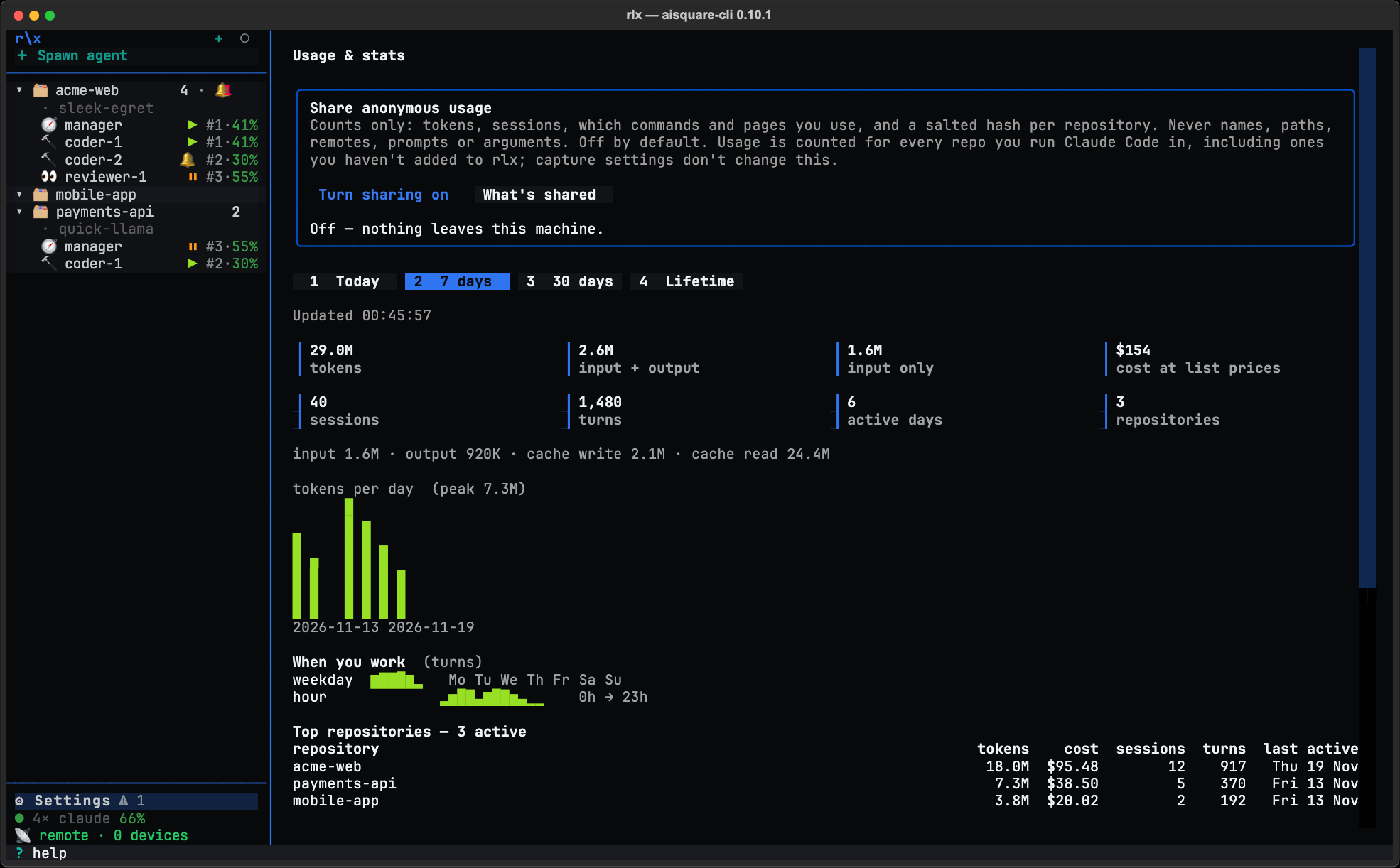
| What is sent, per day | What is never sent |
|---|---|
| The date and your time-zone offset in minutes | Repository names, paths or remotes |
| Whether this machine is signed in to AISquare | Prompts, replies, file names, or anything you or an agent wrote |
| Tokens by kind and model, their list-price cost, sessions and turns | |
| How many accounts you have and used, the plan of each, as counts, and the share of tokens the busiest account spent | |
| How many repositories were active that day | |
| Per busy repository: a salted hash, its tokens, sessions and turns, and four coarse traits (host kind, main language, size bucket, monorepo or not) | Emails, account names, or any person's name |
| How often each command and page was used, by name | Command arguments or their values |
| Agents started by role, and tasks done | Your machine's name |
| rlx's version, your OS and its version, CPU architecture, Python version, how rlx was installed, and a random installation id |
Usage is counted for every repository you run Claude Code in, including ones you have not added to rlx, and each is sent only as a salted hash. The salt stays on your machine, so nobody can check a guess against it. If you are signed in to AISquare, a shipment carries your sign-in and the counts are linked to your account; otherwise they are tied only to the random id.
Never while you wait. Shipments run in the background with five-second
timeouts, at most every six hours once one has gone through. A failed one is
tried again after five minutes, then twice as long each time, up to six
hours. A server that answers 429 or 503 with Retry-After is asked again
after that wait, a day at most. A shipment that fails is silent: no message,
no change to any command's output, and its days are sent again next time.
Sharing starts from the day you turn it on; earlier days are never sent.
Forced off. DO_NOT_TRACK=1, AISQUARE_NO_TELEMETRY=1 and any CI run
turn sharing off whatever the switch says, and skip the question.
Personas: pick, edit and import
Run any rlx agent as someone, such as a skeptic, a mentor or a minimalist. Pick a persona when you spawn, edit one in your own editor, import your own skills or plain text, and attach one to an agent that is already running.
Start a project fresh
Reuse a project in rlx without onboarding it again. Start fresh stops its agents, clears its board and fleet, and starts a blank manager, so the next task is #1. Your checkout and every other project are never touched.