

Adopt a conversation you started by hand
Bring a Claude Code conversation you started in a terminal into the fleet. It resumes as a fleet agent on its own account and in its own directory, keeping its session id, so you can watch it in rlx and the manager can steer it.
You started claude in a terminal, got somewhere, and now want it in the fleet:
visible in rlx, on the board, steered by the manager, moved off a usage limit
like any other agent. Adopt resumes that conversation as a fleet agent. It
runs on the account its transcript lives in and in the directory it ran in, and
it keeps its session id, so its board row is the conversation's own.
Before you start
- Quit the
claudethat is running it. A conversation a liveclaudestill holds cannot be adopted, because two processes would write one conversation. - Its directory must be a project you added. If it is not, add it first
with + beside rlx, or
rlx project onboard <dir>. See Projects. - It must be on an account rlx knows: your plain
claude($CLAUDE_CONFIG_DIRwhen it is set,~/.claudeotherwise) or an account you added under ⚙ Settings ▸ Accounts. A Claude directory rlx did not create is never searched.
In rlx
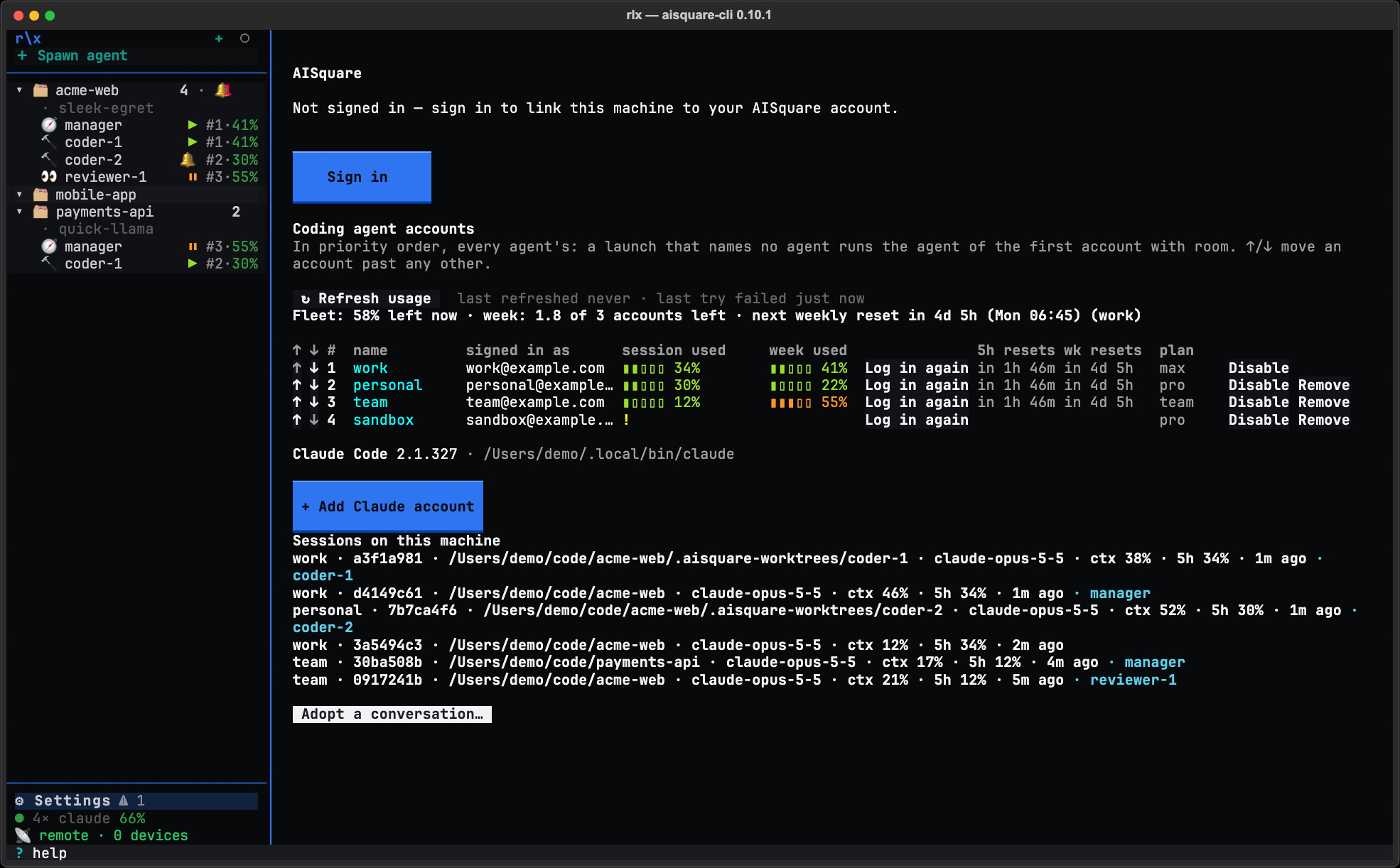
Pick the conversation
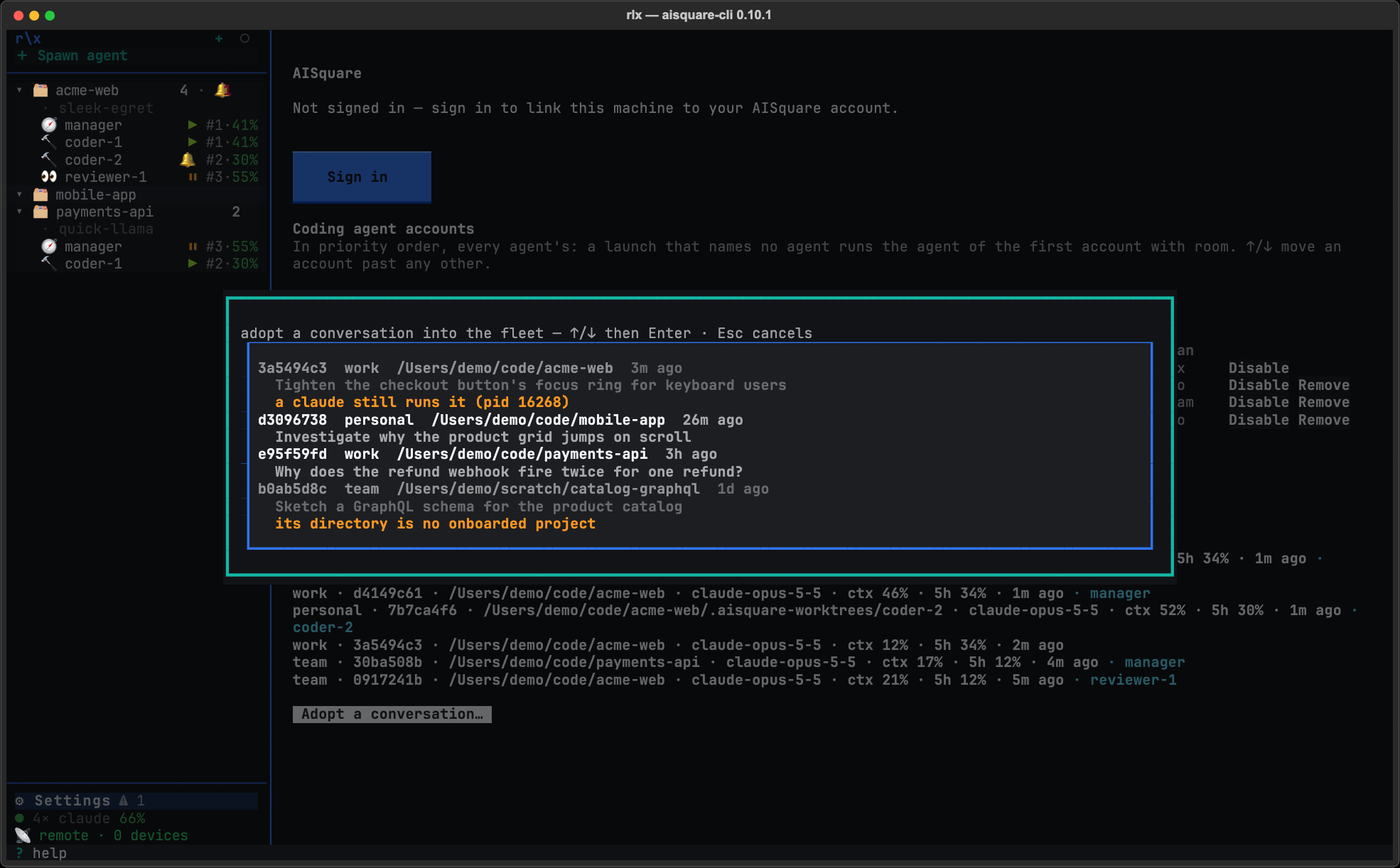
The picker lists your recent conversations that no fleet agent owns, newest first. Each row shows the start of its session id, its account, its directory and how long ago it was last active, with the first thing you typed under it.
A row that cannot be adopted says why in yellow and cannot be picked: a claude
still runs it (pid …), or its directory is no onboarded project. Quit that
claude, or add the project, and open the picker again.
Select a row and press Enter. Esc closes the picker with nothing done.
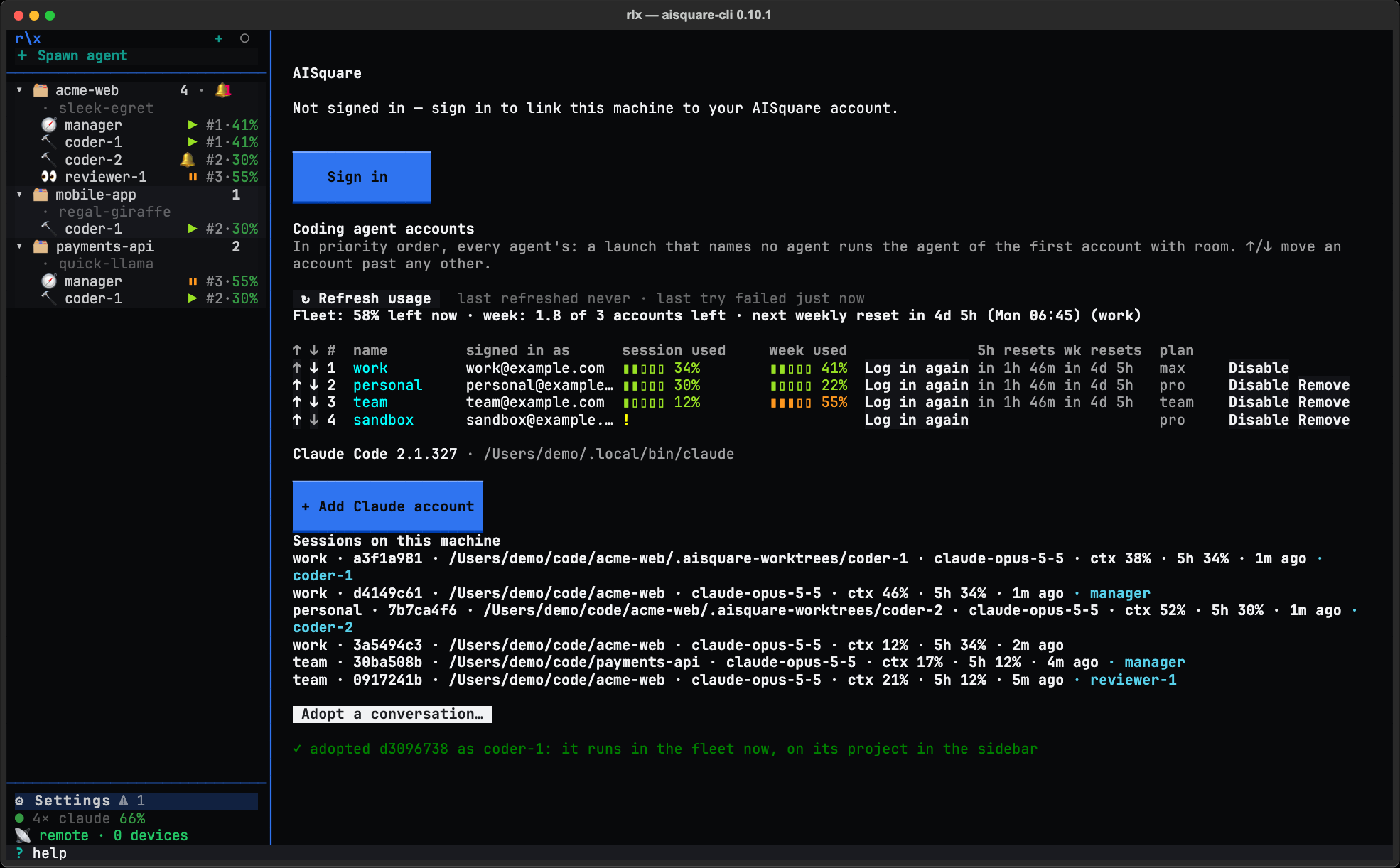
Find it in the sidebar
The page says ✓ adopted d3096738 as coder-1: it runs in the fleet now, on its project in the sidebar. The agent appears under its project, resumed where you
left it. Click it to type into it, exactly as you did in your terminal.
From a shell
rlx fleet adopt --list                     # recent conversations outside the fleet, newest first
rlx fleet adopt 3fa9c2d1                   # adopt one; the start of its id is enough
rlx fleet adopt ~/.claude/projects/<dir>/<session-id>.jsonl   # or name its transcript
rlx fleet adopt 3fa9c2d1 --role reviewer --label review-auth  # as another role, under a label
--list prints one row per conversation, 3fa9c2d1 work /home/you/work/api 2h ago (the absolute folder the conversation recorded)
with the first prompt under it, and marks one it cannot take with
held by pid … or (no onboarded project). --limit shows more (10 by
default, at most 50). Add the global --json for a script:
rlx --json fleet adopt --list.
| Option | What it does |
|---|---|
<ref> | The conversation: its session id (the first characters are enough when they are unique) or its transcript's .jsonl path. |
--role | The role it runs as in the fleet. Default coder. rlx adopts as a coder. |
--label, -l | Its agent label. Default <role>-<n>. |
--list | List the recent conversations outside the fleet instead of adopting one. |
--limit | With --list, how many (1 to 50, default 10). |
What adopting keeps
- Its account. It resumes on the account whose directory holds the transcript, so a resume never crosses accounts.
- Its directory. It runs where it ran, not in a new worktree.
- Its session id. Claude Code resumes the same conversation, so there is one board row for it and no second session.
From then on it is a fleet agent like any other: rlx fleet ls lists it,
the manager can steer it with fleet tell, and you can stop, restart or
switch it like any other agent.
When it refuses
| It says | Why, and what to do |
|---|---|
| a live claude (pid …) still holds it | Quit that claude first, then adopt. |
| it ran in a directory no onboarded project holds | Run the rlx project onboard <dir> it names, then adopt. |
| it is already an agent in the fleet | It is that agent already. |
| it was a fleet agent's | Restart that agent (Restart in its view or in its row's ⋯ menu, or rlx fleet restart <label>) rather than adopt it. |
| no conversation, or no transcript under an account rlx knows | Check the id with rlx fleet adopt --list, and the accounts with rlx accounts list. |
| the id starts several conversations | Give more of the id. |
The manager and adopt
The manager can adopt for you, but only when you ask. Ask it what you were
working on in Claude outside the fleet, and it shows you
rlx fleet adopt --list, lets you pick, adopts the one you chose, and
checks that its new pane is working. It never adopts a conversation on its own.
Start a project fresh
Reuse a project in rlx without onboarding it again. Start fresh stops its agents, clears its board and fleet, and starts a blank manager, so the next task is #1. Your checkout and every other project are never touched.
Control the fleet remotely
Two ways to reach your agents away from the desk. rlx's own Remote puts the whole fleet on your phone through your ngrok tunnel; Claude Code's Remote Control, turned on per role, lets you continue one agent's session from claude.ai/code or the Claude app.