

Control the fleet remotely
Two ways to reach your agents away from the desk. rlx's own Remote puts the whole fleet on your phone through your ngrok tunnel; Claude Code's Remote Control, turned on per role, lets you continue one agent's session from claude.ai/code or the Claude app.
There are two different remotes, and they answer different needs:
| rlx Remote (your phone) | Claude Code's Remote Control | |
|---|---|---|
| What you reach | Every project: what needs you, each agent's live screen, the boards | One agent's Claude Code session |
| Where you use it | A page on your phone, through your own ngrok tunnel | claude.ai/code or the Claude app |
| Who can get in | Whoever has the secret link and the four-word password | Anyone signed in to the Claude account the agent runs on, which a usage-limit hand-over can change |
| Off by default? | Yes, and read-only until you allow writes | Yes, for every role |
Where it is in rlx | ⚙ Settings ▸ Remote control, or R | The Spawn dialog's Claude Remote Control switch |
In rlx's Settings and the R panel, Remote control means the first one,
the phone remote, and the Spawn dialog calls the second Claude Remote
Control. Two places use the plain name for the second: rlx doctor's
remote control row and the dim line rlx launch prints.
Put the fleet on your phone
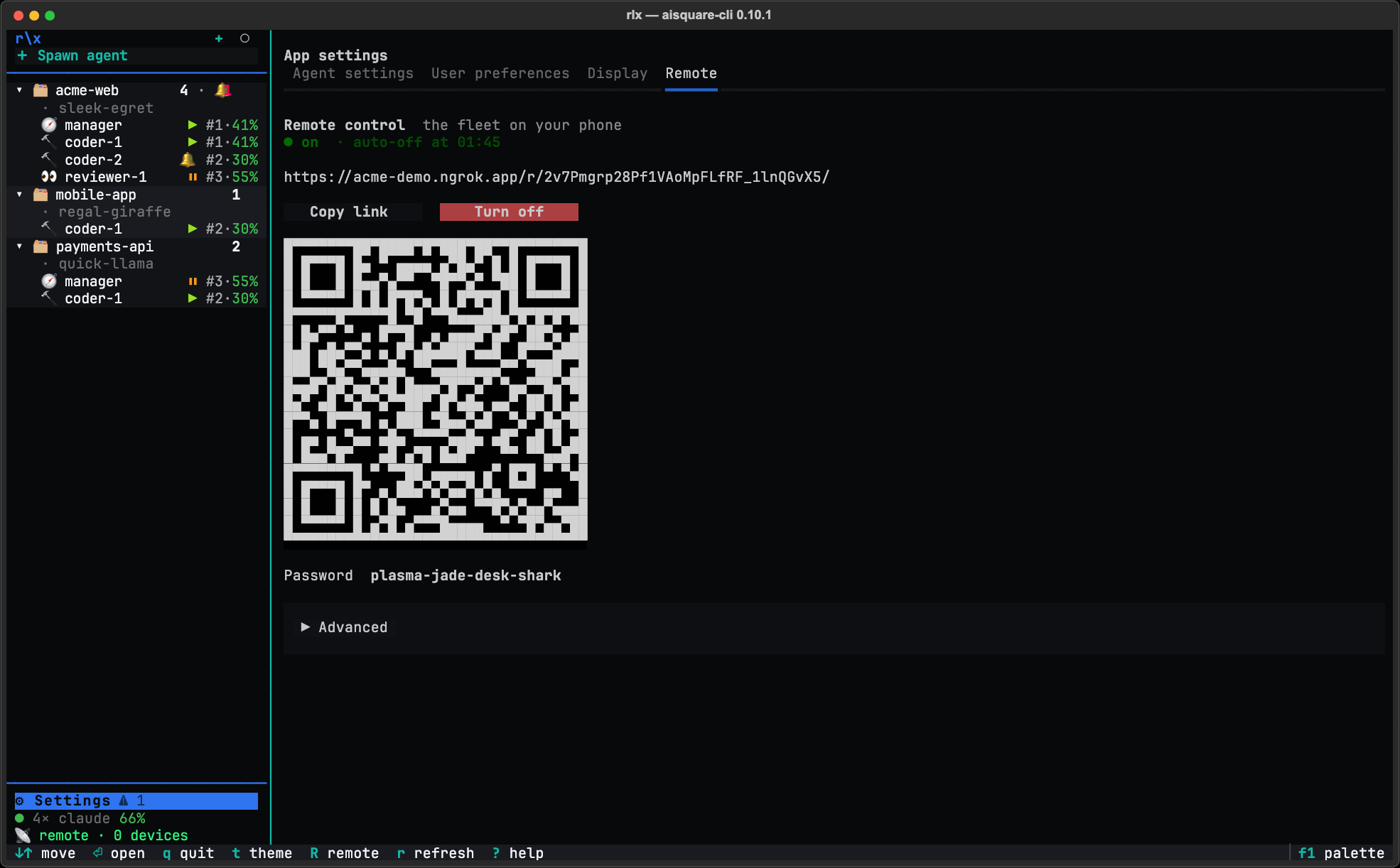
Open Remote control
In rlx, open ⚙ Settings ▸ Remote control. It opens App settings on its
Remote tab.
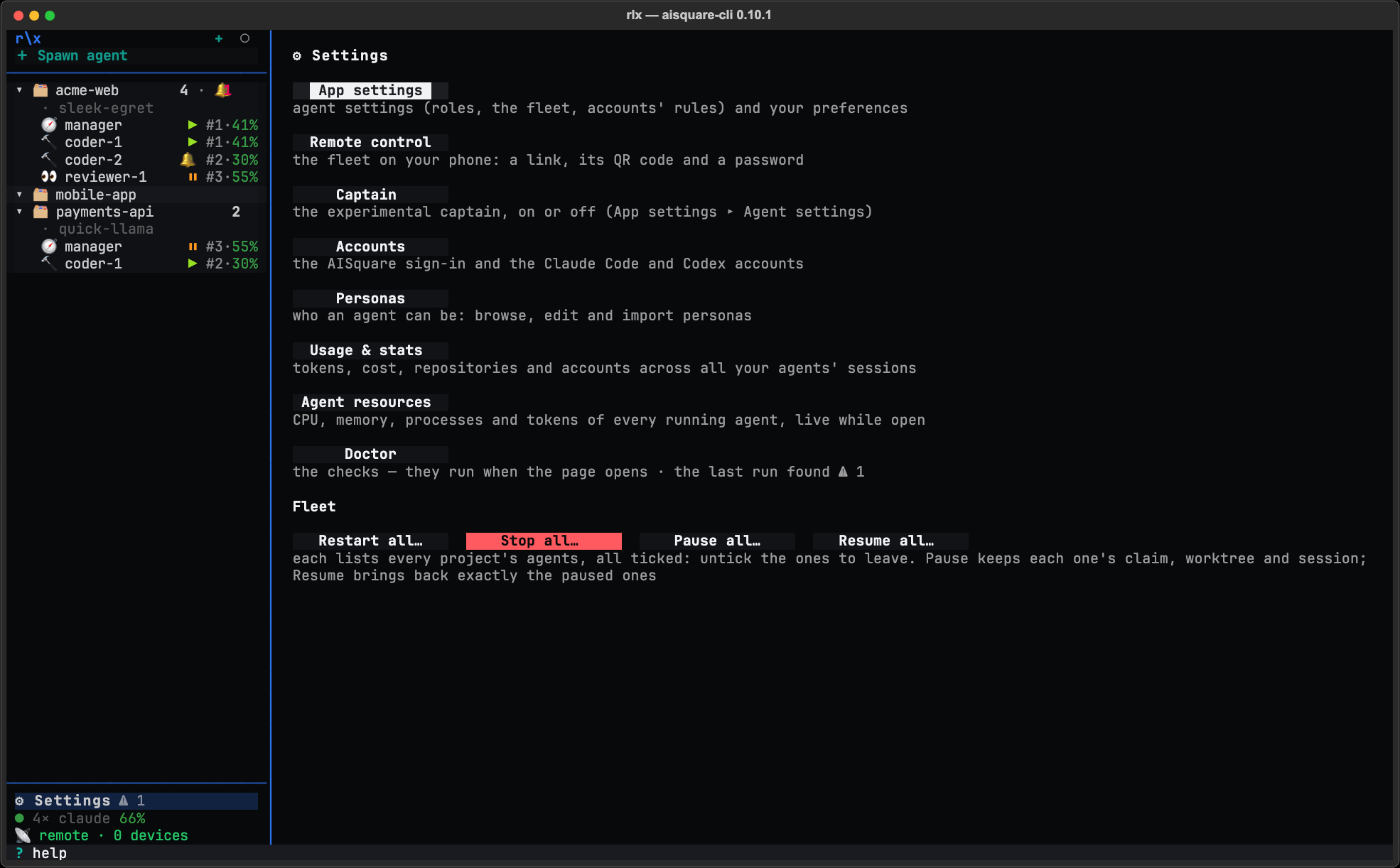
Paste your ngrok token, once
The first time, the tab asks for your ngrok token. Copy it from your ngrok dashboard (a free account has one), paste it under Paste your ngrok token and press Save. If you already signed ngrok in on this machine, it is found and there is nothing to paste.
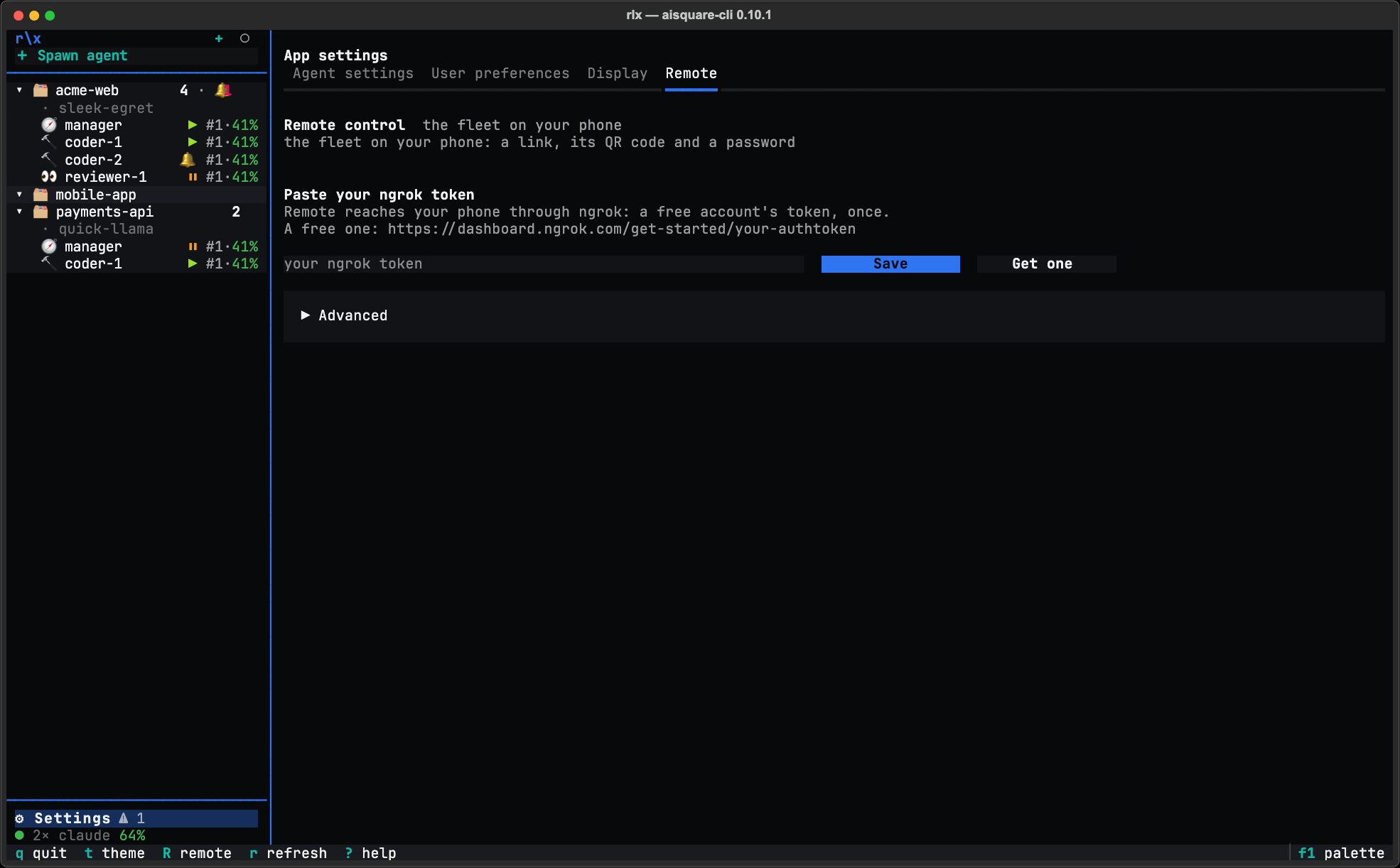
Turn it on and scan the QR code
Press Turn on remote control. The tab shows the link, a QR code and a four-word password. Scan the QR code with your phone, then type the password on the page that opens.
Allow writes, if you want to act
The phone starts read-only. To answer prompts and tell, stop, restart or switch agents from it, open the tab's Advanced and switch on Allow write actions. Set Auto-off there too: 30, 60 or 120 minutes, or Never.
From a shell, the same switch and its state are:
rlx remote allow-write on    # or off
rlx remote status            # on or off, the link, the password, the devices
rlx remote serve             # Remote without the fleet UI; run your own ngrok beside it
Set AISQUARE_REMOTE_NGROK_URL to your free static ngrok domain before you
start rlx, so the link and the phone's sign-in survive a restart.
Your fleet on your phone covers the rest:
the Needs feed, notifications, agent actions, the security model, and running
Remote without the fleet UI.
Continue one agent from claude.ai/code
Claude Code has its own Remote Control: a session started with it can be
continued from claude.ai/code or the Claude app. rlx can start a fleet
agent that way, titled with the project's folder name and the agent's label
(<folder> · <label>), so you find it by name there.
Anyone signed in to that Claude account can drive the agent
A remote-controlled agent can be driven by anyone who is signed in to the
Claude account it runs on, from any browser or device. It keeps its role's
permission mode, so a coder in auto mode still approves routine tool calls
by itself. It also keeps Remote Control when it moves: a restart and an
account switch replay it, and with the default accounts.on_limit = switch a
usage-limit hand-over can move it to any enabled, signed-in account in your
pool, even one you named at spawn. So turn it on only when every account in
the pool is one only you sign in to, or set
rlx config set accounts.on_limit wait while any agent has it on. And
only for the roles you mean to drive from elsewhere.
It is off for every role by default, and it needs a Claude.ai login (Pro, Max, Team or Enterprise) talking straight to the Anthropic API.
Open the Spawn dialog
In the sidebar, press + Spawn agent. Pick the Project, the Role and, if you want, the Account.
Switch on Claude Remote Control
Open Advanced and switch on Claude Remote Control ("continue it from claude.ai/code or the Claude app"). It opens at the role's default, so it is off unless you turned it on for the role.
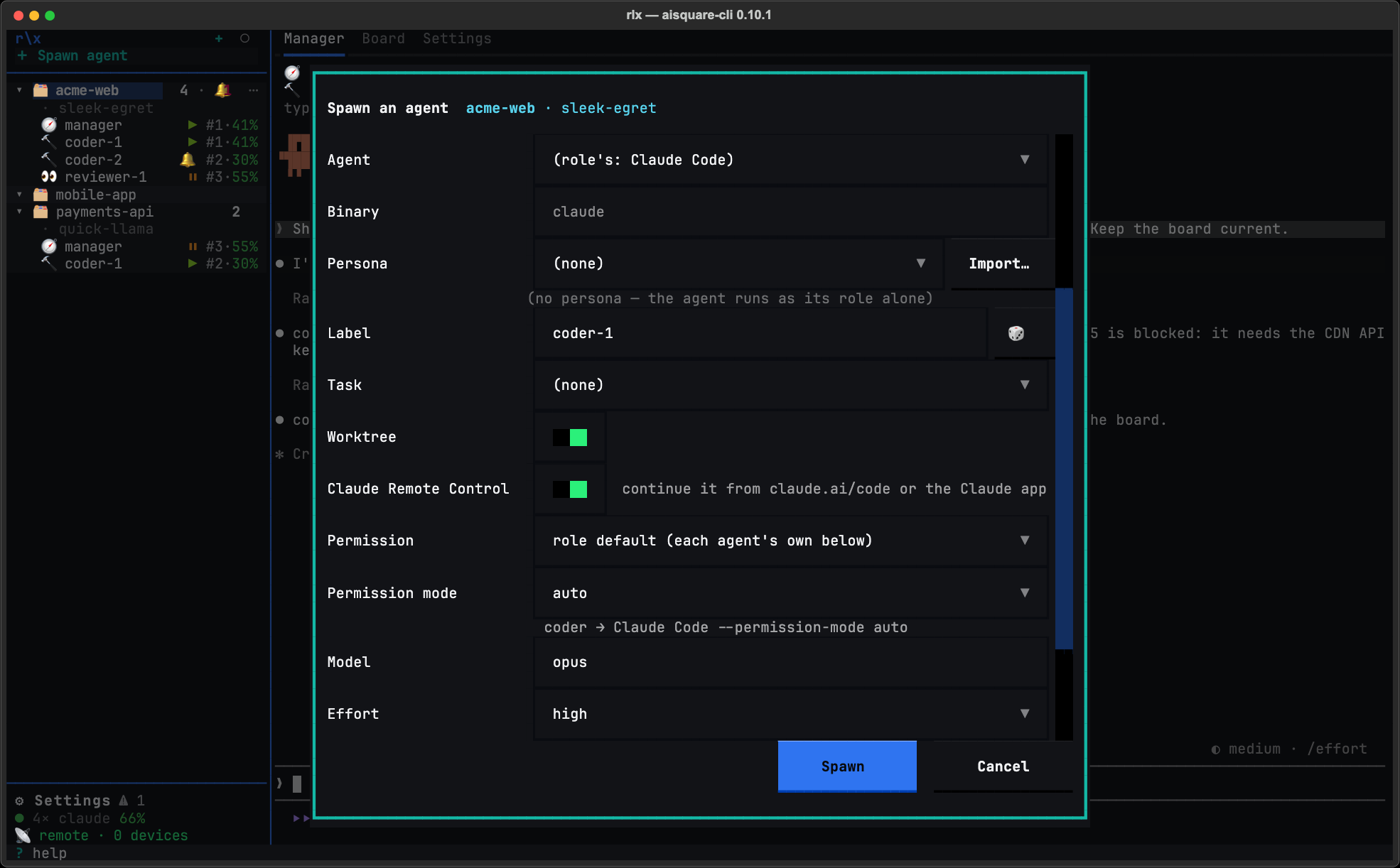
Spawn, then open it elsewhere
Press Spawn. In claude.ai/code or the Claude app, signed in to the same
Claude account, the session appears as <folder> · <label>, for example
api · coder-auth. Restarts and account switches keep the choice.
From a shell
For one agent, pass the flag to the spawn:
rlx fleet spawn coder --remote-control --prompt "Start on #12"
rlx fleet spawn coder --no-remote-control     # off for this one, over a role that has it on
To start every agent of a role with it, set the role's default. App settings does not show this key, so set it from a shell:
rlx config set fleet.roles.coder.remote_control truerlx launch <role> takes --remote-control and --no-remote-control
too, and otherwise follows the same role setting. rlx --json fleet ls
reports each agent's choice as remote_control.
When it is not turned on
Claude Code refuses Remote Control in some setups, so the launch leaves the
flag off and says why in one dim line (remote control: … — not turned on)
when:
- the role's binary is not Claude Code;
- the launch line already carries
--remote-controlor--rcof your own, which wins as you wrote it; ANTHROPIC_BASE_URLpoints at a host other than the Anthropic API, as the tracing proxy (parked) does;CLAUDE_CODE_OAUTH_TOKENis set, since that token can make model requests only.
While any role has it on, rlx doctor shows a remote control row. It
names those roles, and warns when one of the blockers above would make Claude
Code refuse it, reading the environment the fleet's agents actually inherit.
Adopt a conversation you started by hand
Bring a Claude Code conversation you started in a terminal into the fleet. It resumes as a fleet agent on its own account and in its own directory, keeping its session id, so you can watch it in rlx and the manager can steer it.
Launching sessions
Start a seat with rlx launch, and pin what it launches: binary, environment, extra arguments and account, bound once per role.