

Connect more than one Claude account
Add your other Claude accounts in rlx so the fleet uses them as one pool. New agents start on an account with room, and an agent that hits its usage limit moves to another account and carries on.
A fleet of several agents spends a Claude account's five-hour window quickly.
Add your other accounts once, and rlx picks one with room for every new
agent and moves an agent off an account that runs out. You need nothing but
the other account's login: no CLAUDE_CONFIG_DIR aliases, no wrapper scripts.
In rlx
Open Accounts
Open ⚙ Settings ▸ Accounts. A click on the status line under ⚙ Settings
(● 1× claude …) opens the same page.
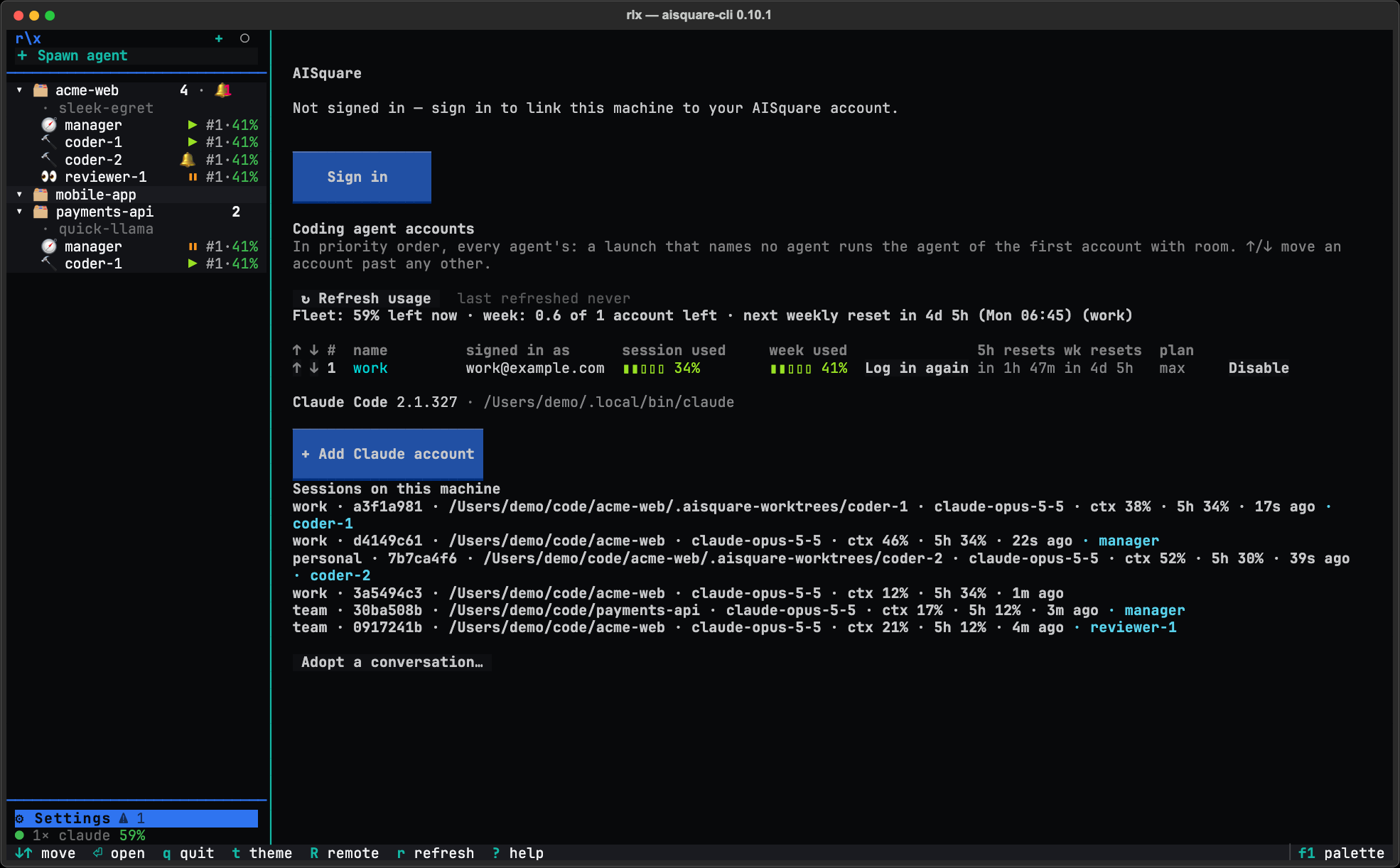
Press + Add Claude account
rlx makes the next free slot and opens Claude Code's own login in a pane
on the page. Sign in there with your other Claude account, exactly as you
normally would. Nothing is typed for you. If Claude Code does not ask, type
/login in the pane, as its header says.
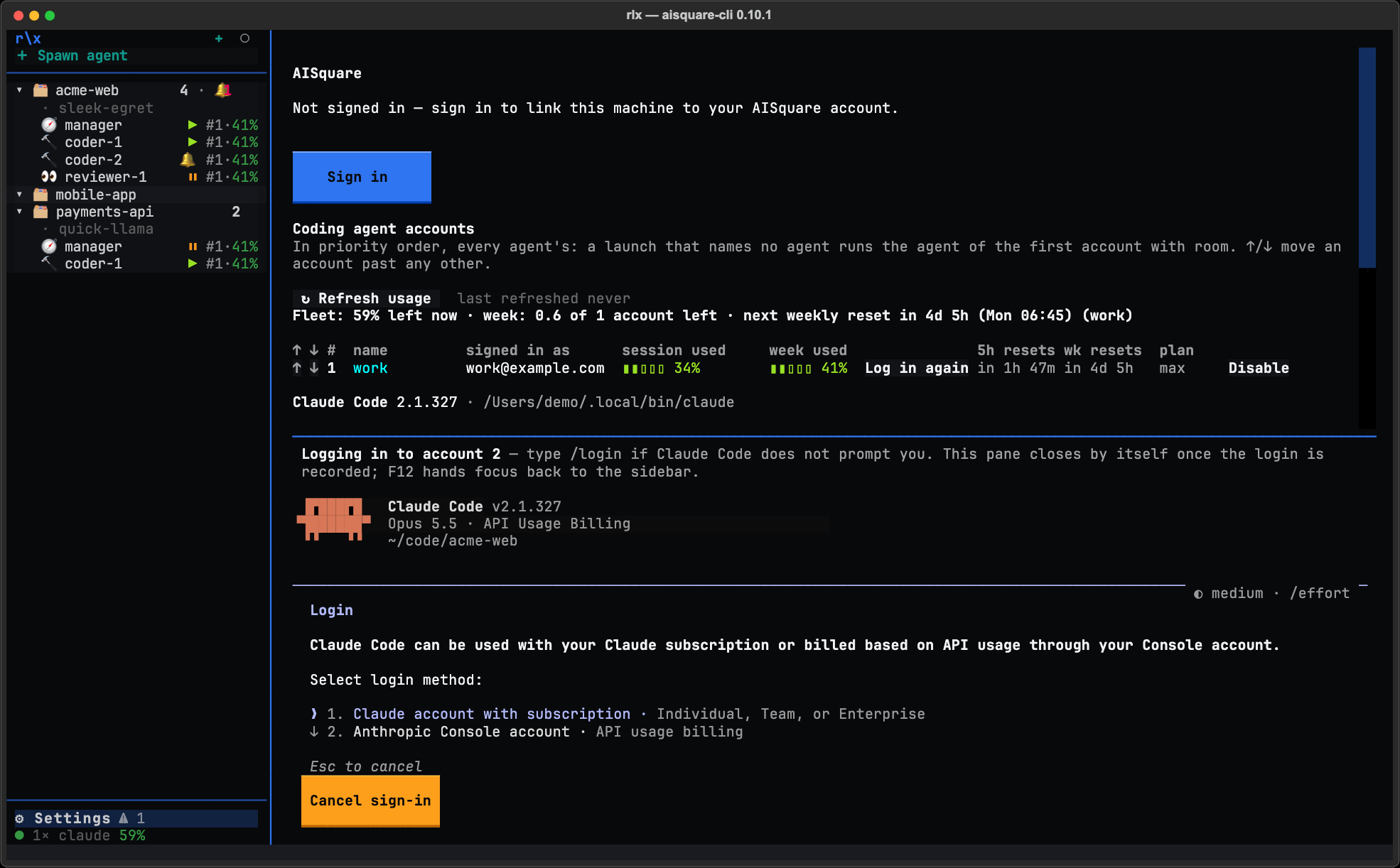
Let it finish
The page watches the slot. The moment Claude Code has written the login, the
account is recorded, rlx's hooks go into its settings.json, and the pane
closes by itself. If you close the pane without signing in, or press
Cancel sign-in, the empty slot is discarded.
Check the new row
The account appears as a new row with its plan and usage bars, and the fleet line above the table now counts it. Picking an account with room and moving an agent off a usage limit are already the defaults, so there is nothing else to turn on.
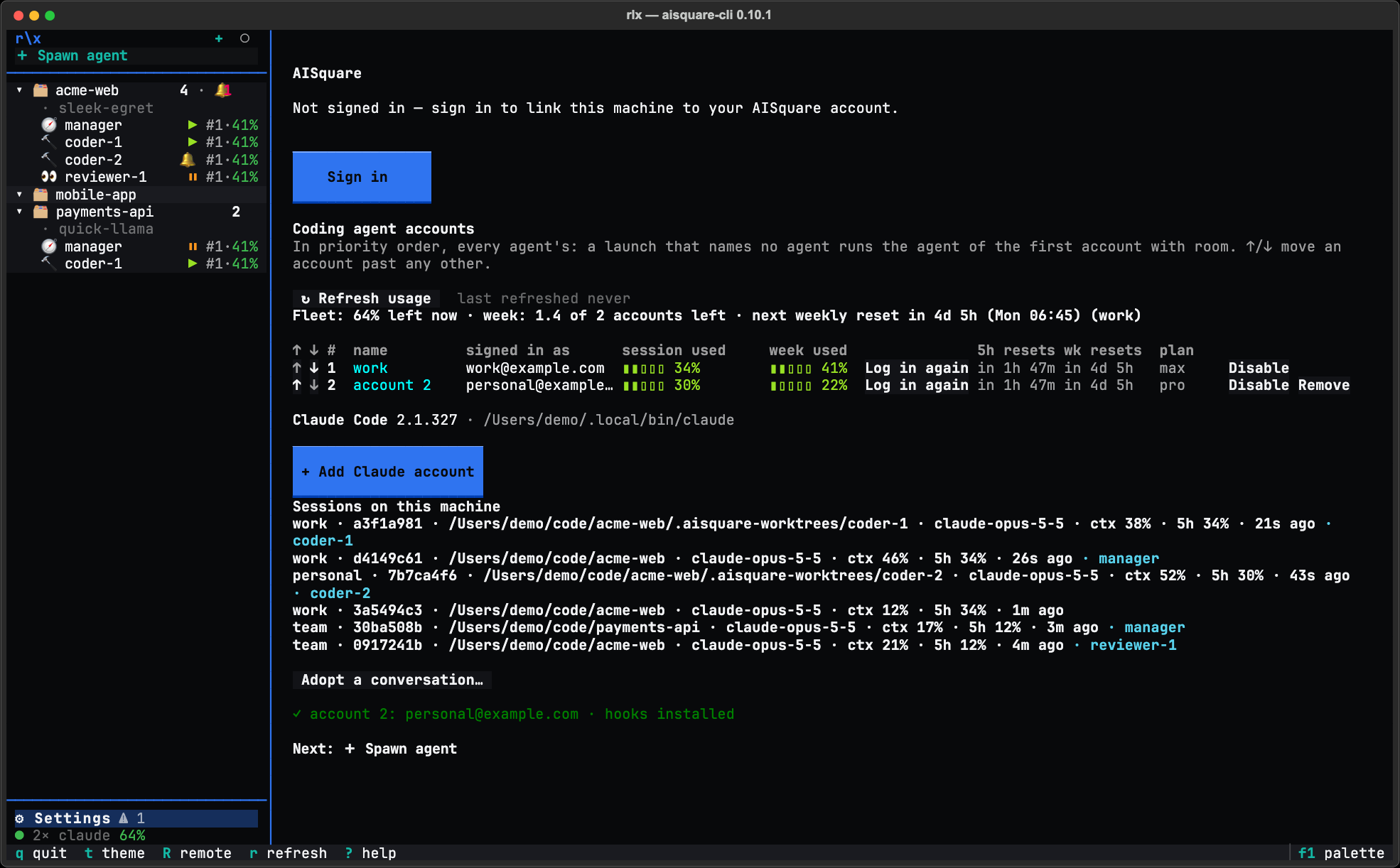
Arrange them
- Rank. The ↑ and ↓ at the start of each row set the priority order. The first enabled, signed-in row is the machine default, and a pick by headroom tries the rows in this order.
- Name. Double-click the name (or press Enter or F2 on the row) and type,
such as
workorpersonal. The name then replacesaccount 2on the board, infleet lsand in the Spawn dialog. - Disable. Disable keeps an account out of every automatic choice. You can still name it for one spawn.
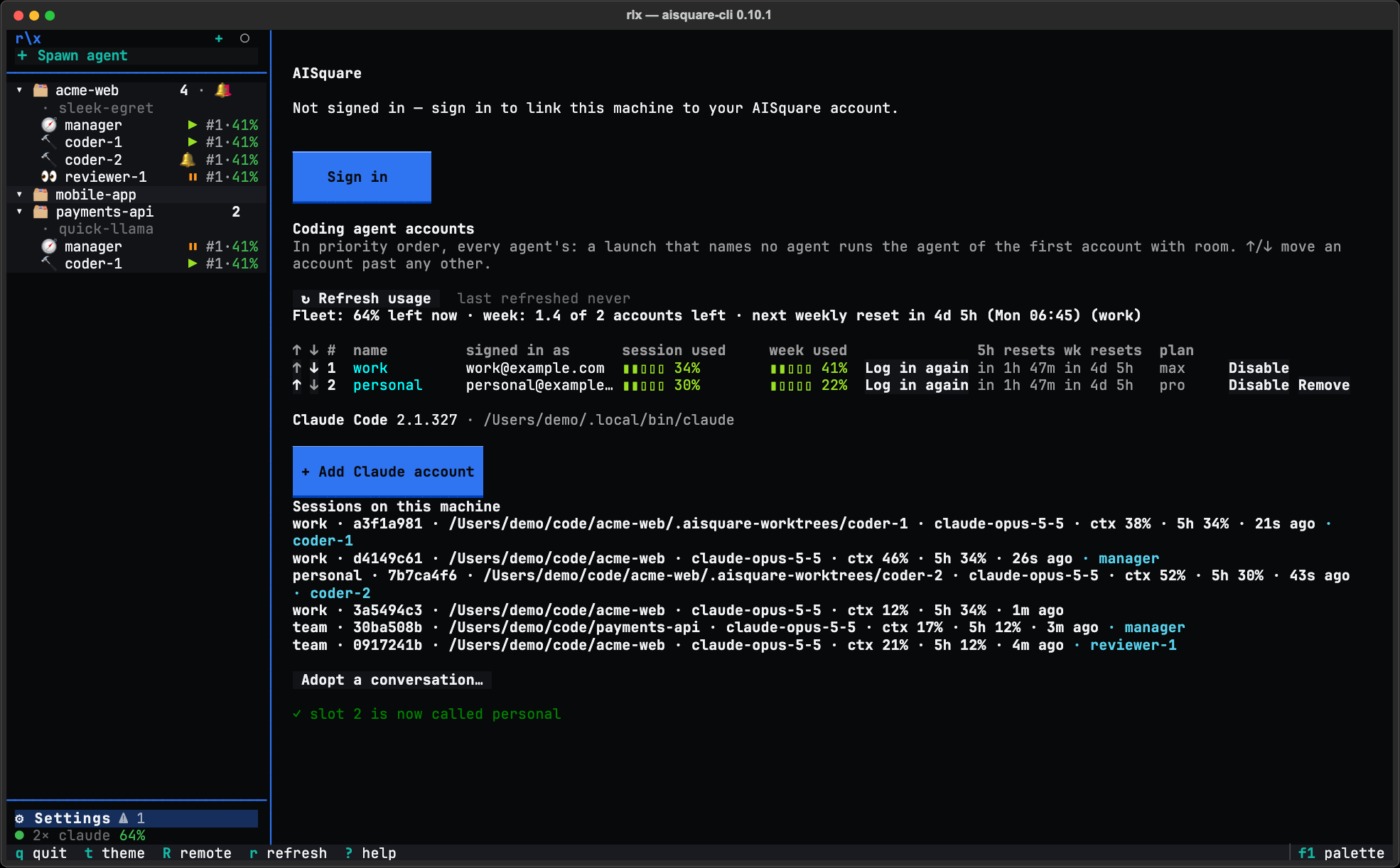
A row whose token has expired shows Log in beside its usage; a row that reads fine offers Log in again. Both open the same sign-in pane for that slot.
Signing in from somewhere else
You can also add an account from the place you needed it, and come back there:
- Welcome, step 2: Sign in opens the Accounts page, where you press + Add Claude account (or Log in on a row).
- The Spawn dialog: Advanced ▸ Pick… ▸ + New account.
Each sign-in runs on the Accounts page. Once the login lands, you are taken back: Welcome with the keyboard on the next step, or the Spawn dialog as you had typed it with the new account chosen. A sign-in that does not land reopens nothing and says so.
What changes now
- New agents start on an account with room. Each launch takes the first
account in your order that is under 85 % used on both windows. The Spawn
dialog's Account field says which one before you spawn, such as
(default: headroom · work). - An agent that hits its limit moves. It is restarted on an account with room, in the same worktree, resuming its own Claude Code session with its tasks still claimed. If the limit resets within 15 minutes, it waits instead.
- The sidebar shows the pool. The status line reads
● 2× claude 58%: two usable accounts, 58 % of their room left on average.
To move agents before an account runs out, at a quiet moment rather than
mid-change, turn on before_limit:
rlx config set accounts.before_limit switchAccounts and usage explains every rung of the pick, what happens at and before a limit, and every setting.
From a shell
rlx accounts add does the same as + Add Claude account. It opens
Claude Code for the sign-in and records the account when you leave it with
/exit. It needs an interactive terminal.
rlx accounts add                  # a fresh slot; sign in, then /exit
rlx accounts list --usage         # every slot, who is signed in, and both windows
rlx accounts alias 2 work         # name slot 2
rlx accounts move work top        # make it rank 1, the machine default
rlx accounts disable 3            # out of automatic selection; enable puts it back
rlx accounts run 2 # a plain Claude Code session on account 2, to log in againTasks and the work cycle
How work moves through the team in rlx. Numbered tasks that are safe to re-add, claims that exactly one agent wins, contracts printed to whoever claims, dependencies that hold work back until it is ready, and review feedback that finds its way back to whoever picks the task up next.
Personas: pick, edit and import
Run any rlx agent as someone, such as a skeptic, a mentor or a minimalist. Pick a persona when you spawn, edit one in your own editor, import your own skills or plain text, and attach one to an agent that is already running.